
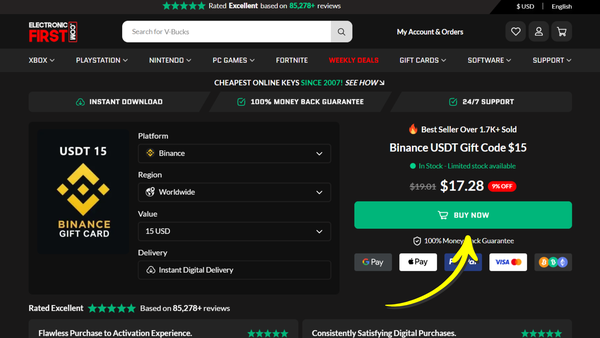
Step 1: Select Gift Card
Go to: https://www.electronicfirst.com/binance-usdt-gift-code
Choose the gift card amount matching your invoice (e.g., $15 as shown).
Click “BUY NOW” to continue.
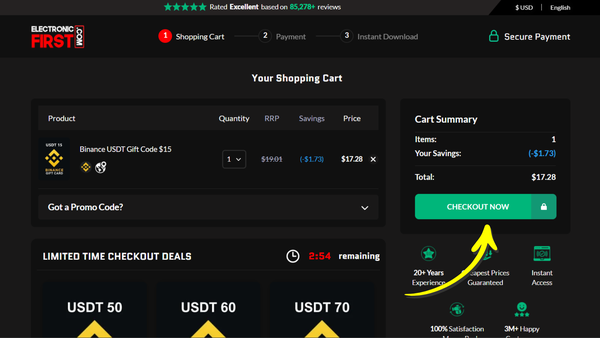
Step 2: Proceed to Checkout
After clicking “BUY NOW”, you’ll be taken to the shopping cart.
Simply click “CHECKOUT NOW” to continue.
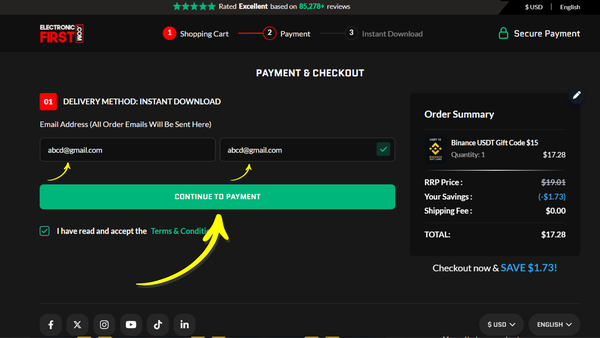
Step 3: Enter Email Address
Enter your email address (where you’ll receive the gift card code).
Then click “Continue to Payment” to proceed.
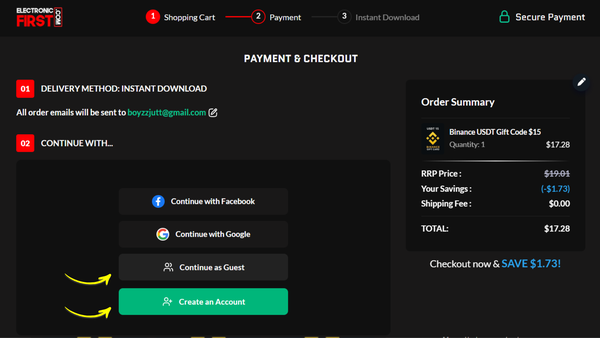
Step 4: Choose Account Option
Before payment, you can either:
- Continue as Guest, or
- Create an account with ElectronicFirst
Select your preferred option and proceed.
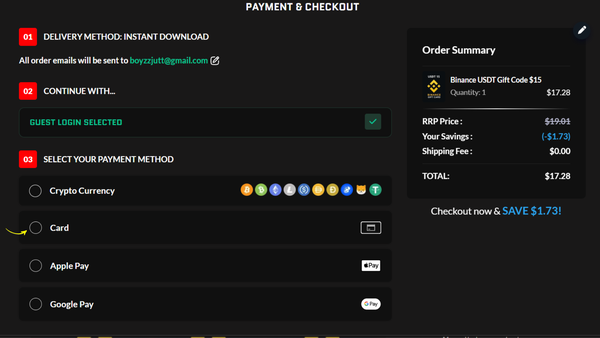
Step 5: Payment & Checkout
At checkout, select your preferred payment method:
- Crypto
- Credit/Debit Card
- Apple Pay
- Google Pay
Complete the payment to place your order.
Step 6: View Order
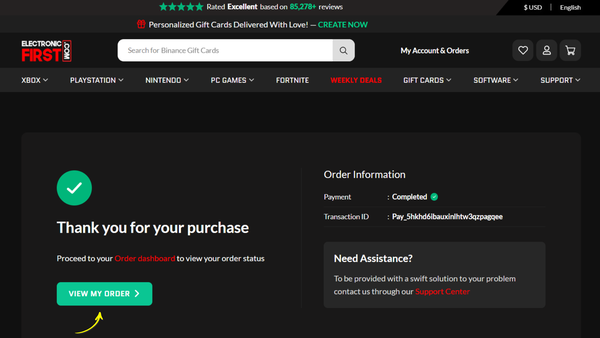
After completing your payment,
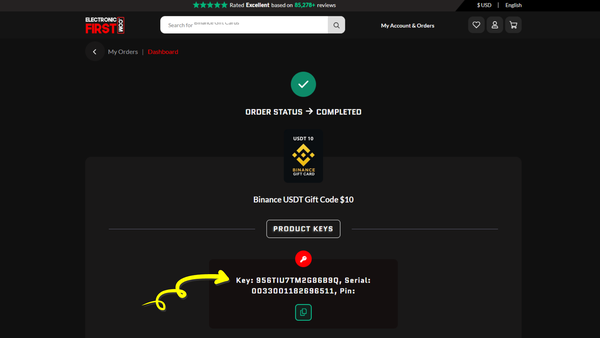
click “View Order” to access your gift card details. Copy the code carefully for use.
Step 7: Submit Gift Card Code
That’s all! Please submit your 16-digit gift card code in the invoice section for manual verification.
Additional Note: Identity Verification
If ElectronicFirst requests identity verification, please take a few minutes to complete it carefully. Your information is securely handled by ElectronicFirst in compliance with their verification policies.
We use this payment method due to limitations with traditional payment gateways for IPTV services. This is a one-time process, so your cooperation is appreciated.